
The trust layer for AI in finance
Finance automation with AI you can actually trust.
Dooap Studio is where finance teams build AI workflows that read, code, match, and post real invoices — start to finish.
Uncertain work stops at a confidence threshold you set, routes to a human, and lands in a full per-decision audit trail — so AI never quietly posts the wrong invoice, and you can keep handing it more of the queue.
New in September: Actions you can call like an API →
Born in AP automation
Dooap Studio comes from the team behind Dooap Core: accounts payable (AP) automation that finance teams across North America and Europe run their payables on, with their auditors’ blessing. Dooap Studio Actions are in production today — invoice processing end to end, reading, coding, and posting real invoices.












Use cases by role
Different jobs, different wins — same guardrails.
Not all-or-nothing AI. Each role gets its own use cases, all under the same gate and audit trail.
Clear the queue. Handle the exceptions.
- Invoices read, coded, and validated — most clear touchless.
- Exceptions and approvals handled with full context.
- Duplicates, tampering, and fraud flagged before they post.
What you compose
An Action is a workflow of typed, named steps.
Each step does one thing well. Outputs flow forward; branching and errors get their own dedicated step types.
- Agent
- Code
- Switch
- OCR
- Tool Call
- Loop Over
- Metadata
- Trigger Action
Why Dooap Studio
You decide what the AI may touch — and see everything it does.
Granular control
Compose work as small, named steps. Whitelist exactly the inputs and tools each agent can touch. Gate every uncertain answer.
Deterministic where it counts
Mix code and agentic steps from the same toolbox, and reach for a specialist when determinism matters: an OCR model for documents, not an LLM.
Nothing in the dark
Every reason, every tool call, every parameter, every change: recorded and inspectable.
The right model for each task
Configure the model per step. Cheap when you can, capable when you must.
Improve without breaking
Auto-versioning, draft alongside live, dry-run on real data, evaluations against datasets. Promote when it’s better; roll back if it’s not.
Grounded in your data
New invoices are matched against years of your own postings, so agents reuse what your team already proved correct instead of guessing.
Inside Dooap Studio
The whole operation, laid out on one desk.
Build, run, review and prove — Dooap Studio’s dark surfaces, tilted into view. Hover any tile to bring it level.
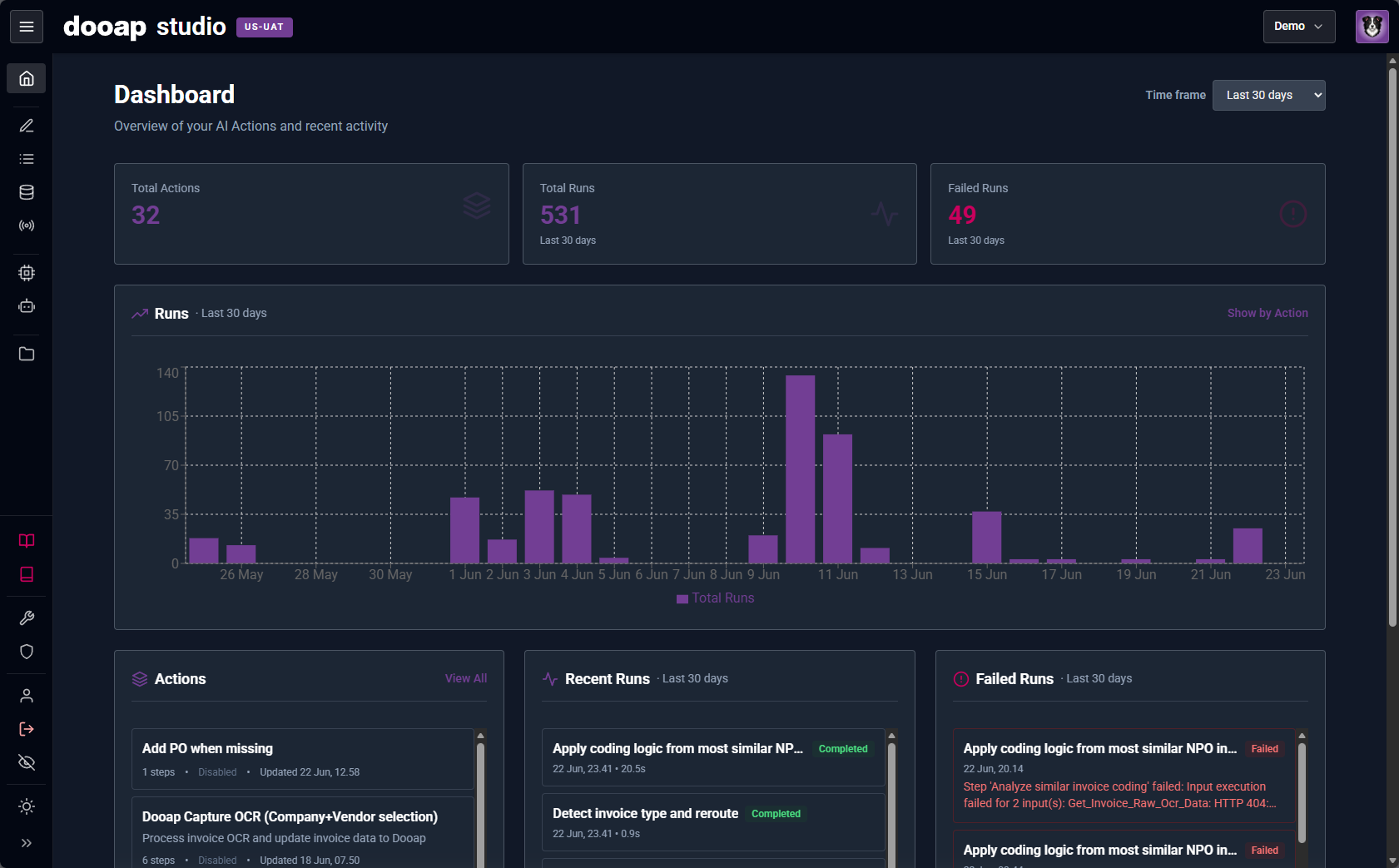
The dashboard — Actions, runs, and failures at a glance.
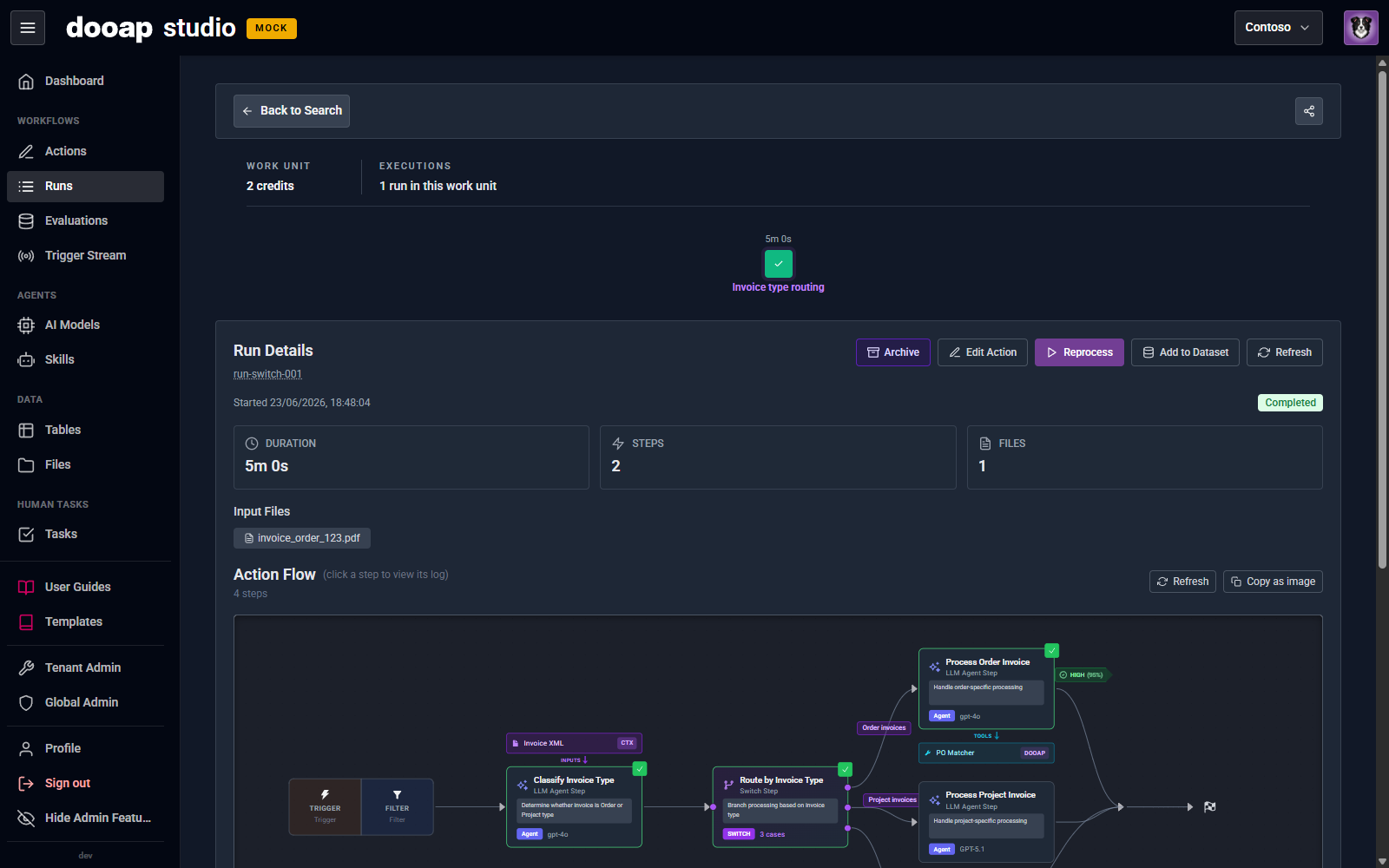
Every run, drawn as the flow that produced it.
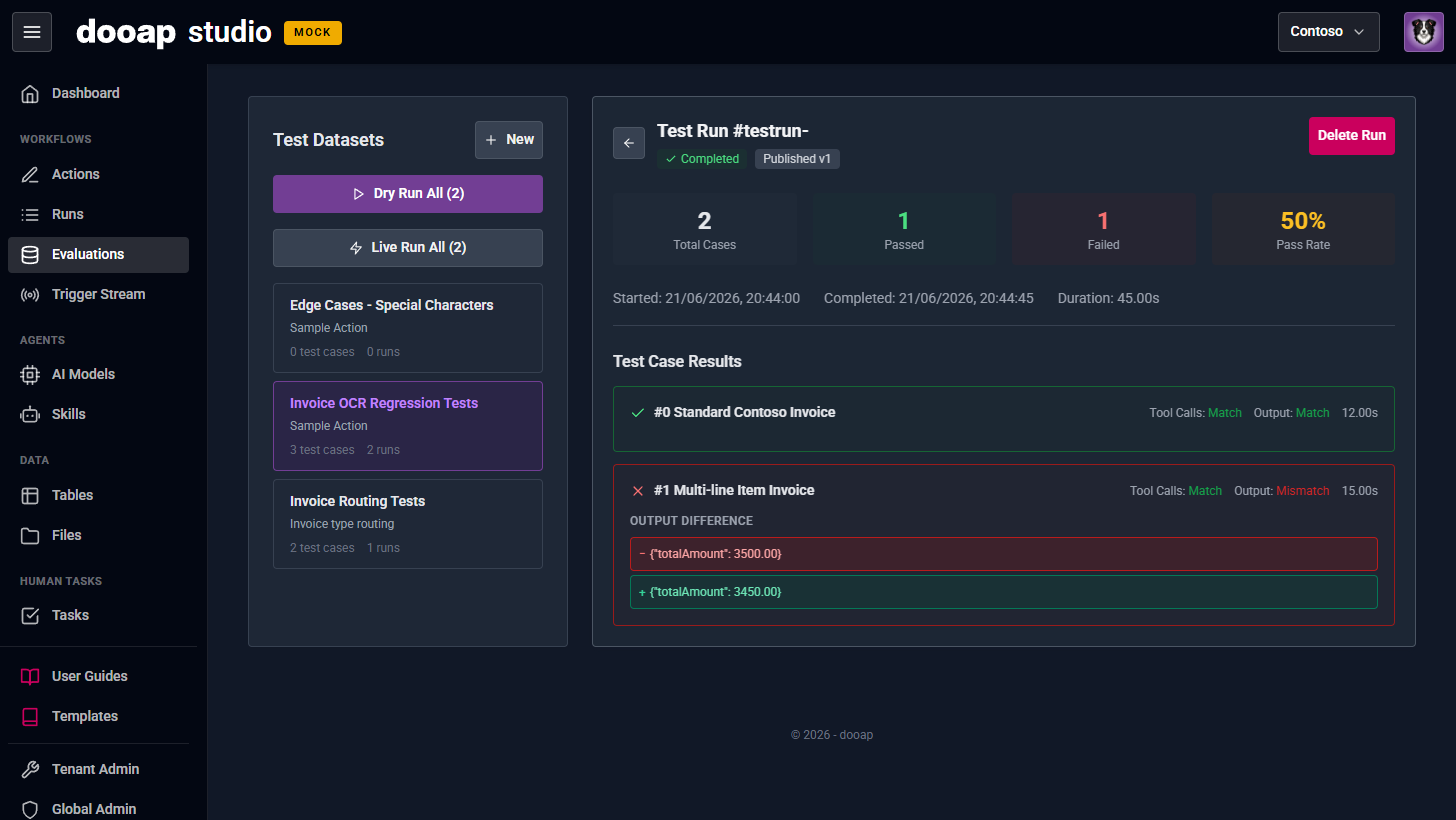
Evaluations — prove a change is better before it ships.
Nothing in the dark
Every run, counted. Every decision, on the record.
Each run is logged with its reasons, tool calls, parameters and results — inspectable end to end. The dashboard rolls them up so you can see throughput climb and catch a failure the moment it spikes.
How the audit trail worksAction runs, last two weeks — illustrative.
Governed Apps & Tools
Wire any API. Reuse across step types. Lock the perimeter.
Bring any API into Dooap Studio as an App: import an OpenAPI spec or connect a remote MCP server. Its endpoints become reusable tools available to Agent, Code and Tool Call steps. Admins decide which Apps and which tools are exposed. Agents can only reach what’s allowed, and nothing else leaves the perimeter.
Any OpenAPI. Any MCP server.
Drop a spec and pick the endpoints to surface, or connect a remote MCP server and use the tools it exposes. Credentials live in the secret vault.
Reusable across step types
The same endpoint works as a tool for an Agent, called from a Code step, or invoked directly as a Tool Call. Wire once, use everywhere.
Locked perimeter
Agents and code can only reach Apps and endpoints admins authorize. Every call is logged, with its parameters and result.
Dooap Shepherd
Describe it. Dooap Shepherd builds it.
Press the S key. Describe an Action in plain language. Dooap Shepherd builds it, previews it, and waits for your approval before applying.
Meet Dooap Shepherd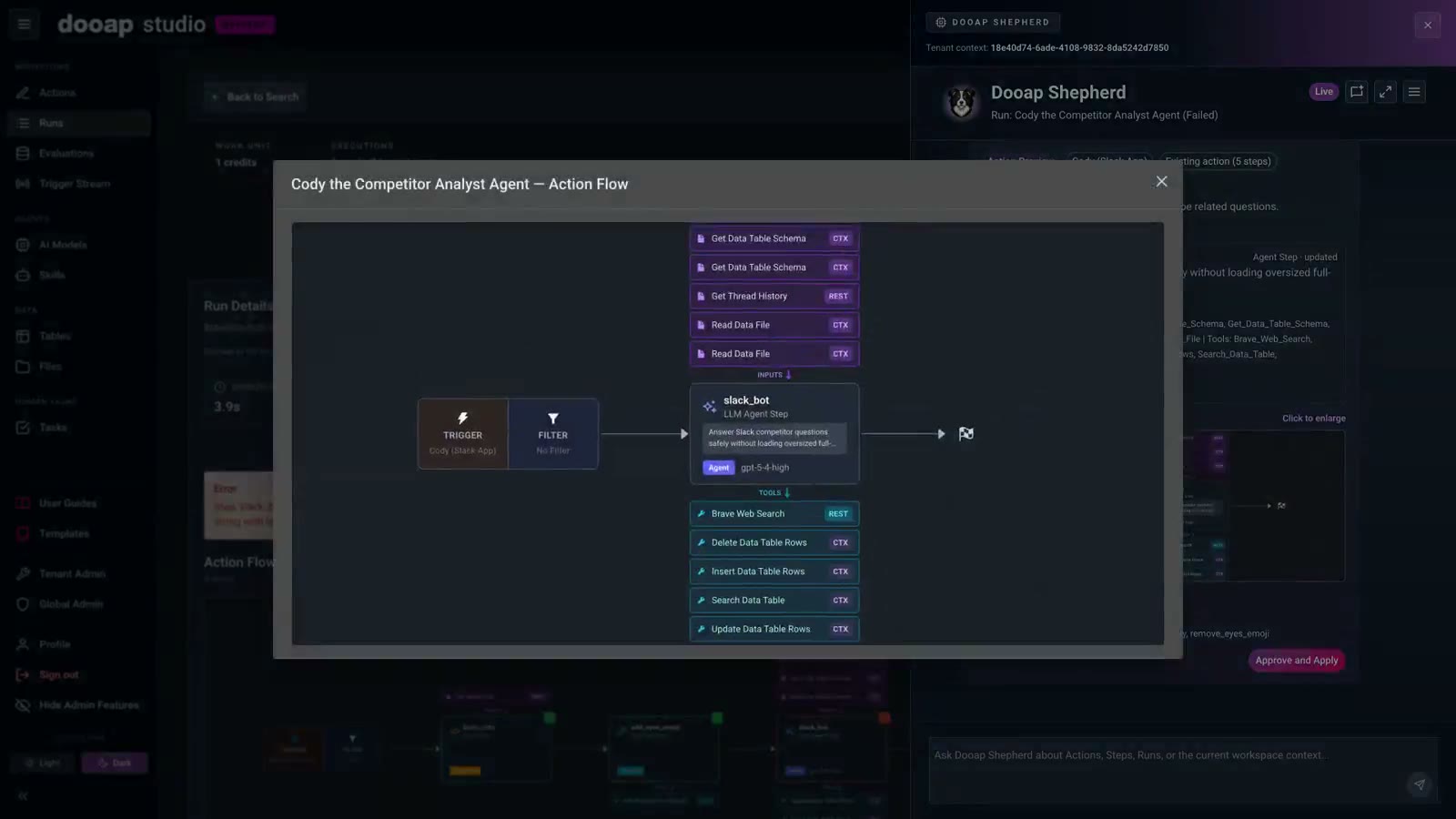
A real session: the proposed fix enlarged for review. Nothing changes until it’s approved.
See it on your own processes.
We'll walk you through a live Action, built around how your finance team actually works.